A private AI guide that teaches by asking.
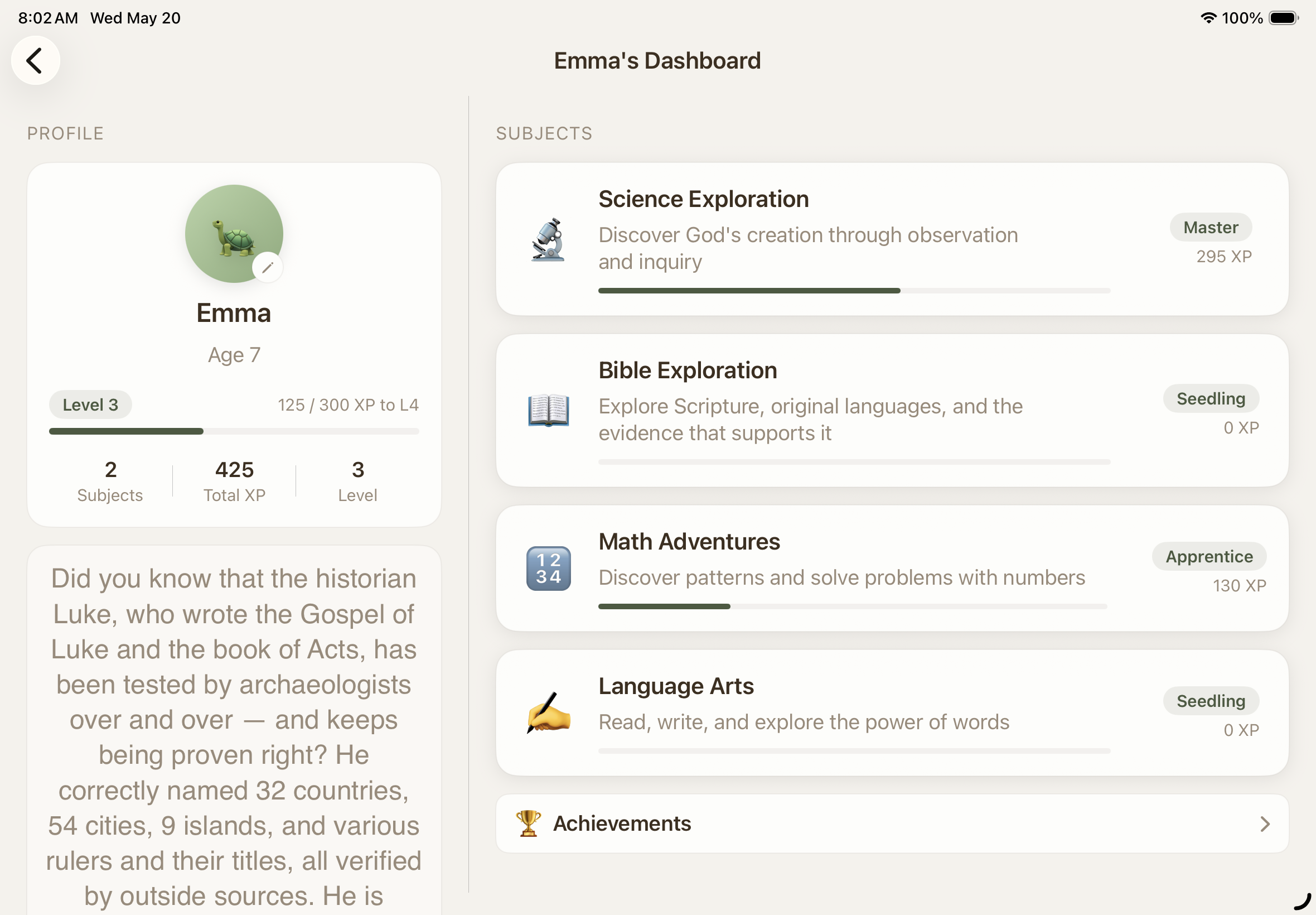
Forage Academy is a Montessori-inspired, biblically-rooted learning environment. We encourage critical thinking via Socratic dialogue instead of lectures, progress via skill trees instead of grade levels, and a parent dashboard with complete transparency.

before the iPad is down
Montessori principles, real evidence, no ideology.
A Guided Journey,
Encouraging Critical Thinking.
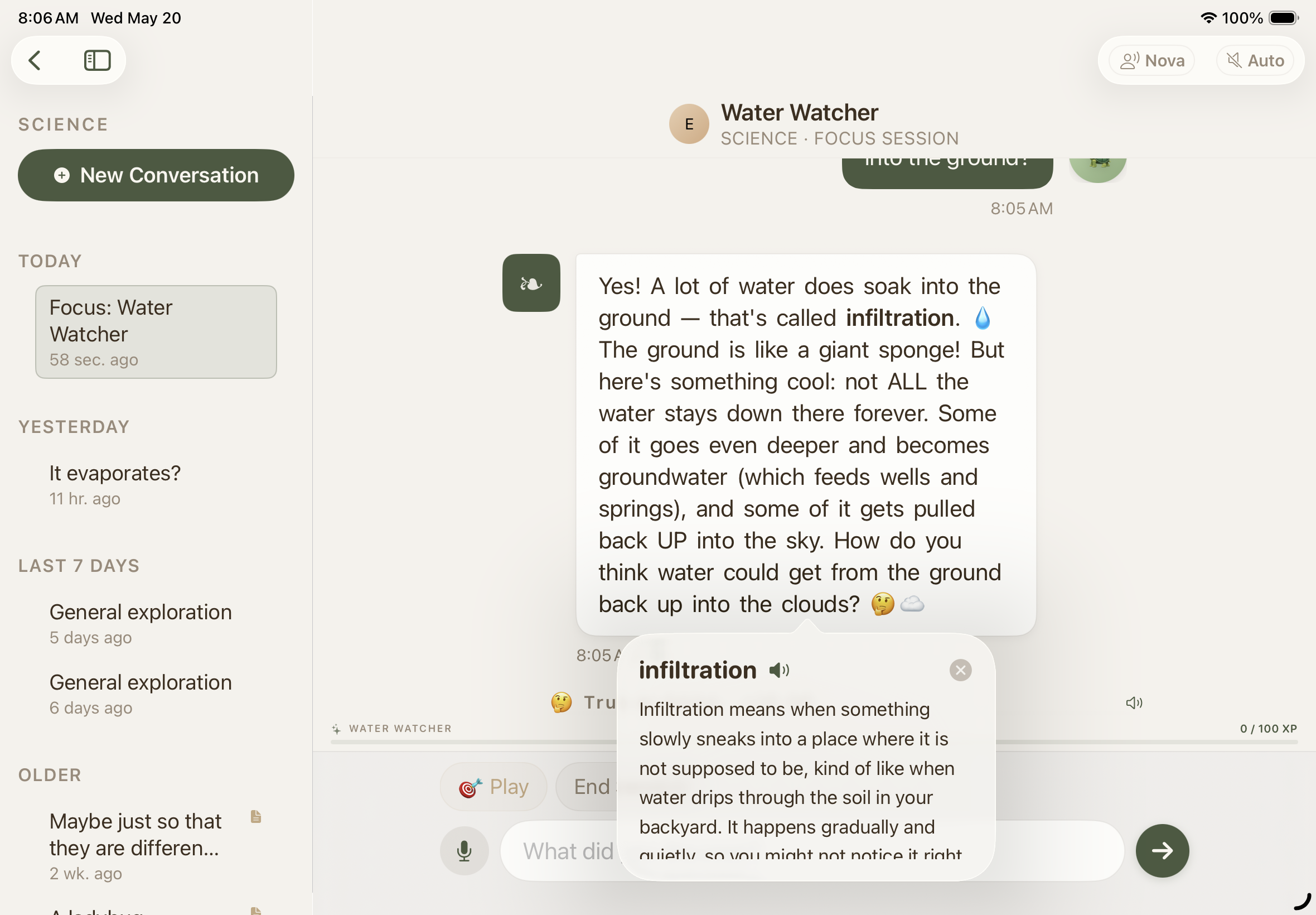
The guide follows what your child is curious about and generates exercises from that interest. Within the conversation, a child can touch any word for an age-tuned definition and hear it pronounced. Voice input and highly engaging custom, non-robotic read-aloud is optional and built-in for all ages.
Skill trees, not grade levels.
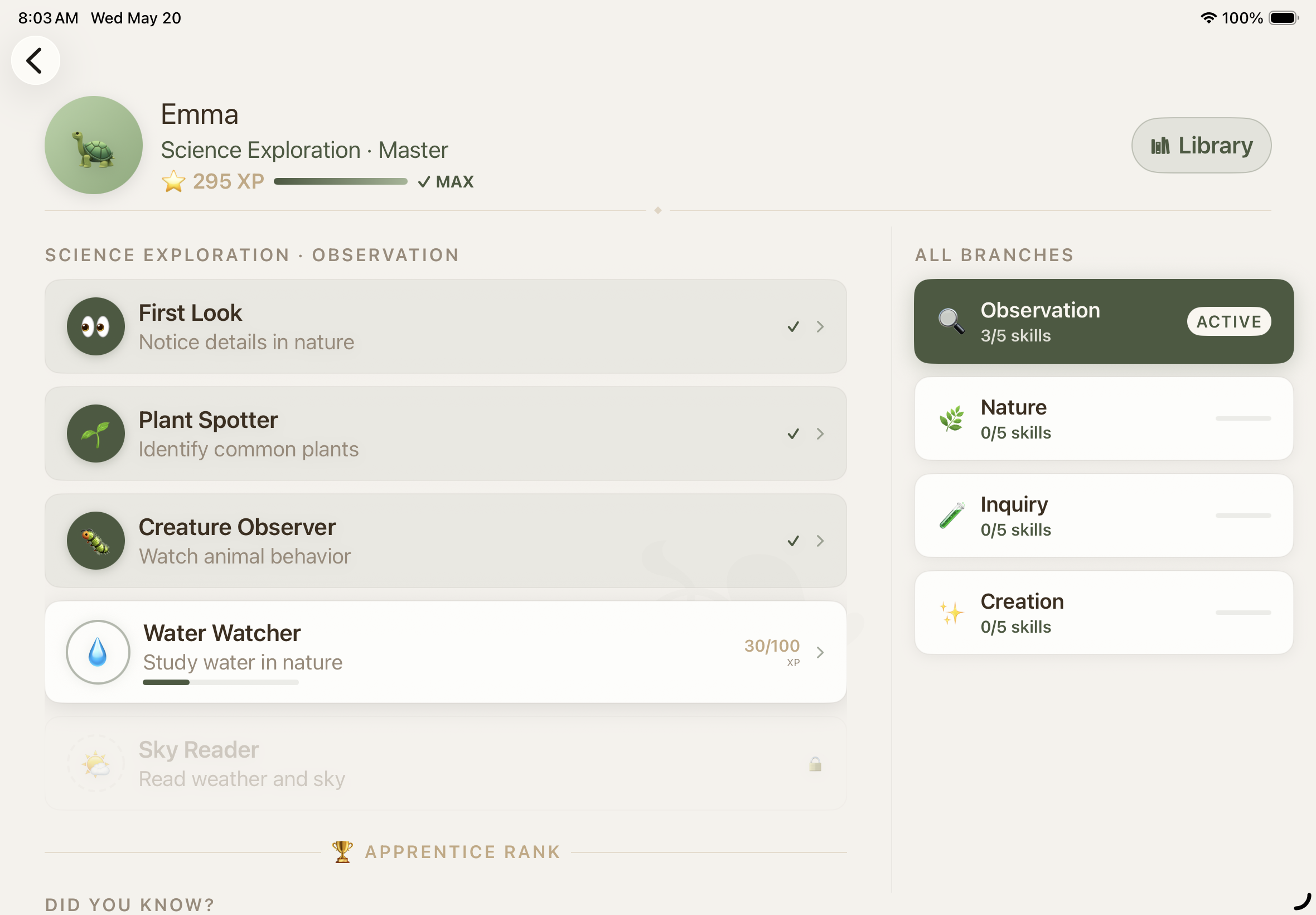
Skill branches unlock when a child demonstrates understanding via conversations, not when a calendar says so. Seedling, Apprentice, Journeyman, Master, all earned, and visible to both of you.
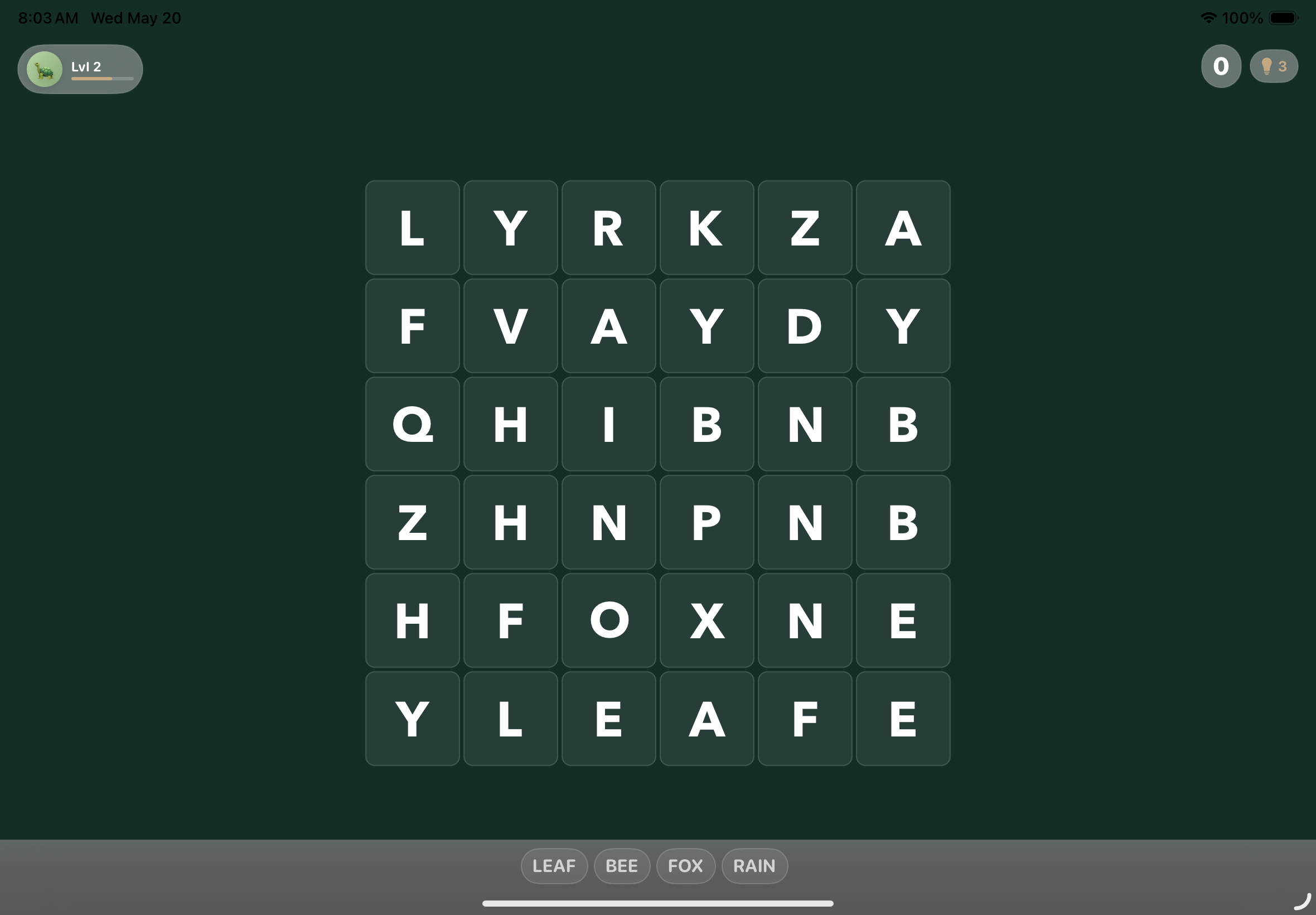
Practice and learn with games
Story Puzzles, Word Search, Coloring Pages and Quick Drills, each one generated against the skill your child is working on right now, and saved into their own library of creations. Game difficulty is automatically scaled as your child progresses.
See the library →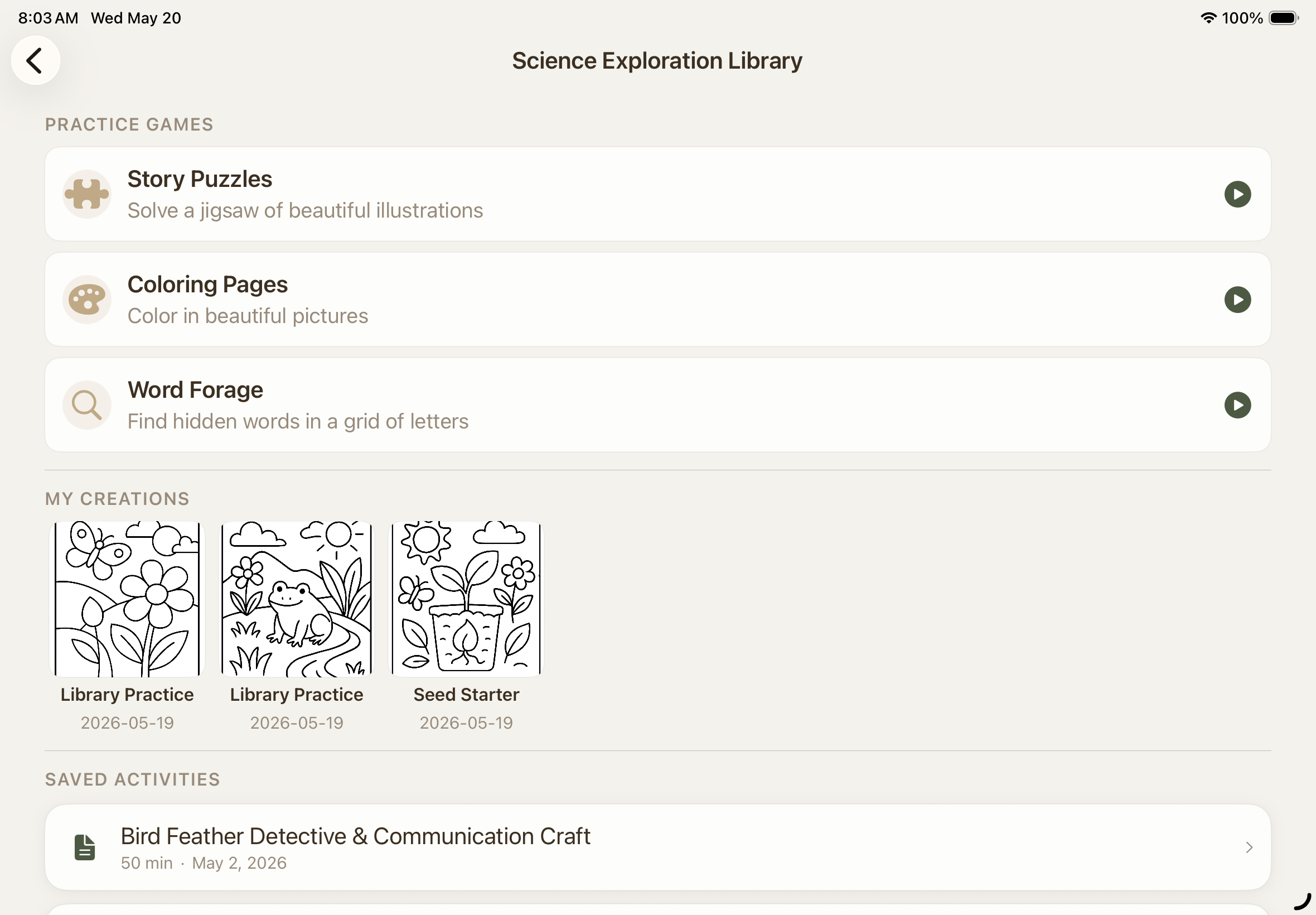
You're always in the loop,
and compliant.
Every session is summarized, every transcript is on the record, and the hours add themselves up. By the end of the year the homeschool portfolio you need is already written, printable, and shareable. Per-state compliance packs are updated as rules change.
When it ends, you know
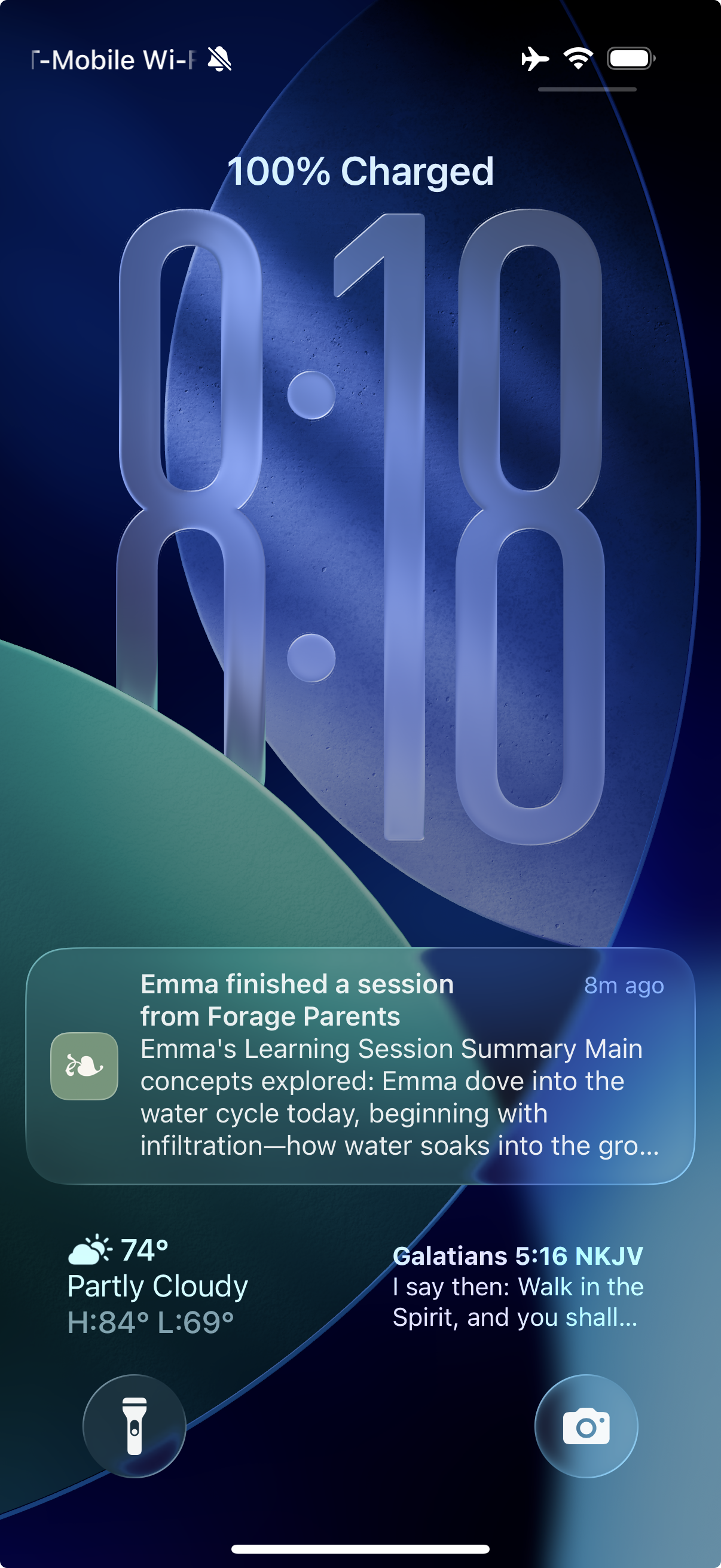
The notification carries the first lines of the AI's summary, on the lock screen, the moment the session closes.
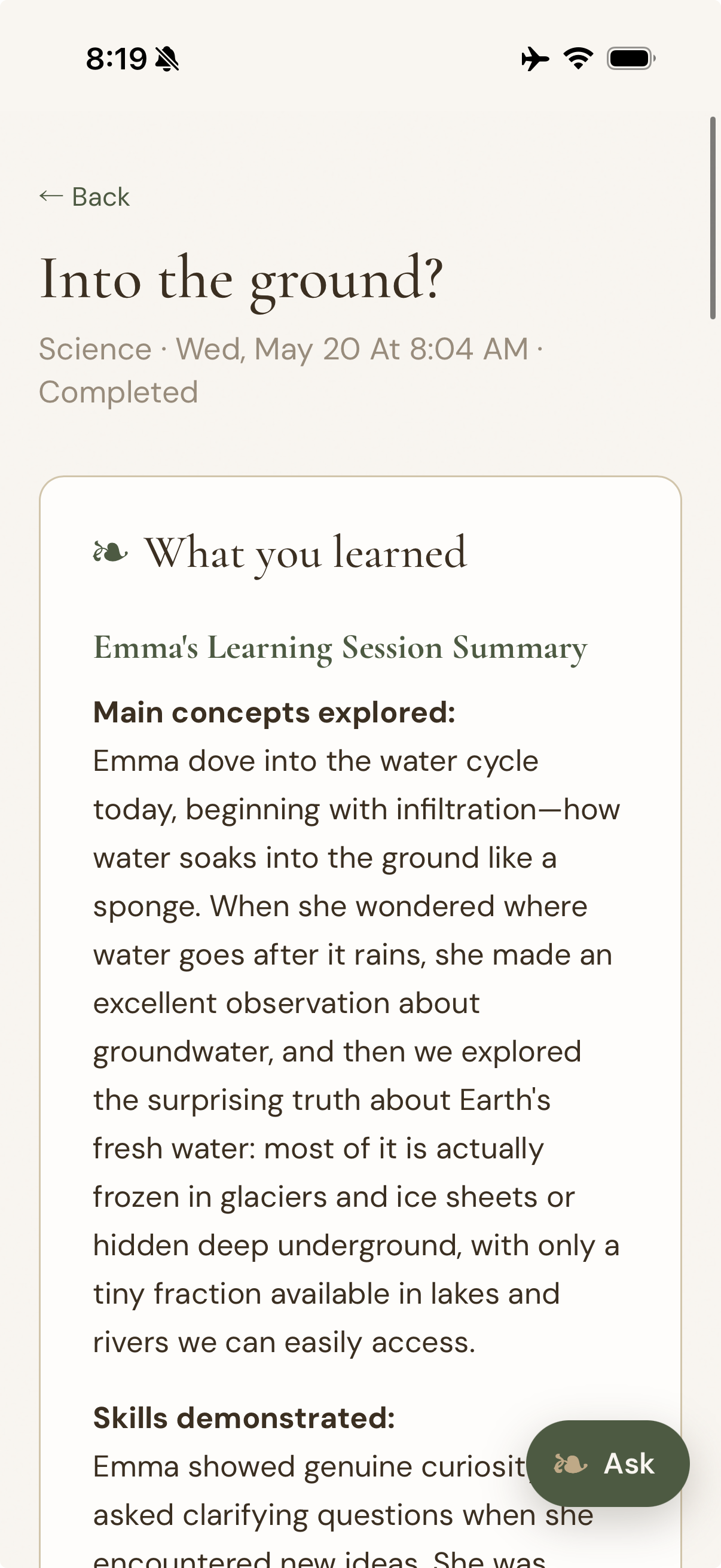
Read what they learned
Concepts explored, skills demonstrated, and what to revisit together, plus the full transcript, always.
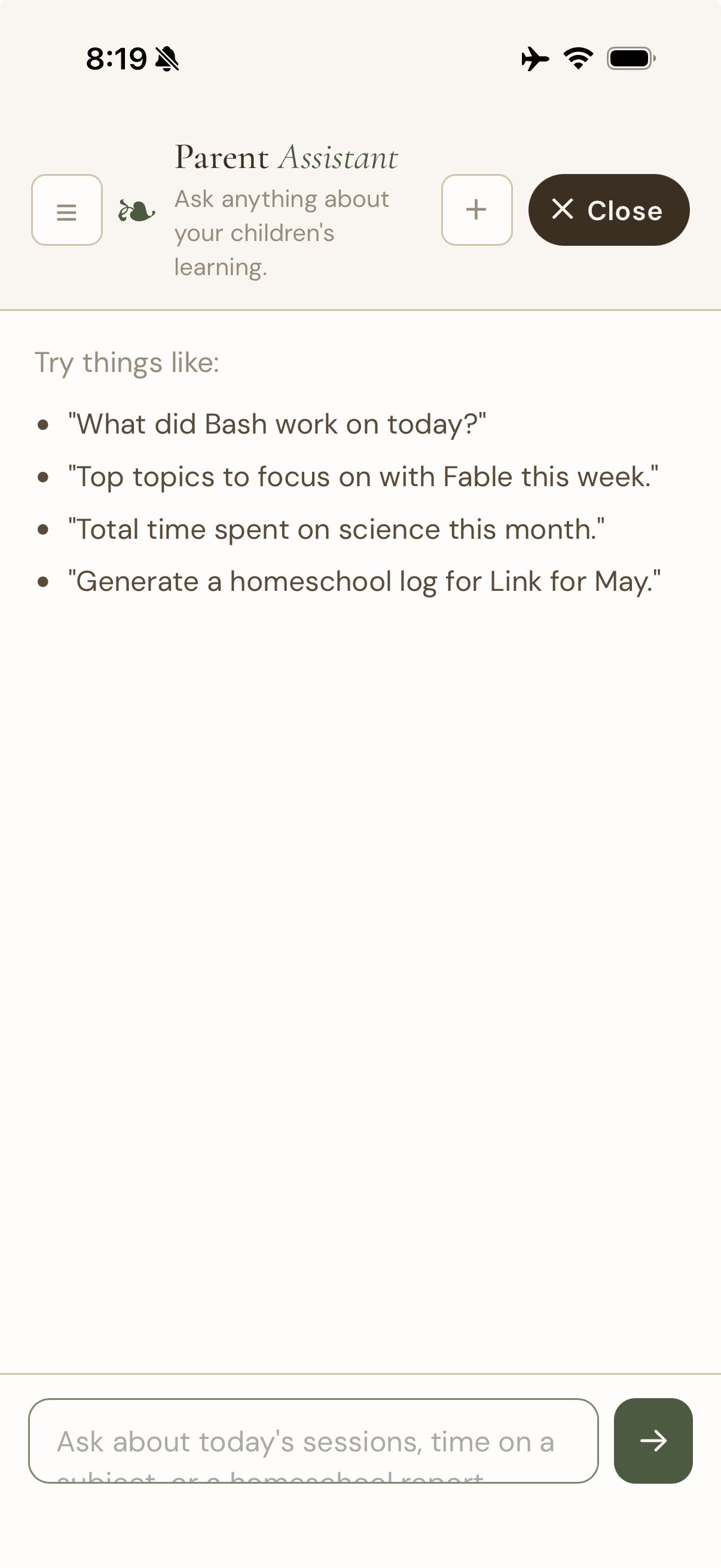
Ask about anything
"What did Sam work on today?" "Generate a homeschool log for May." An agent that knows their whole history can assist.
Days, hours and subjects, counted as they happen and never estimated.
The compliance dashboard names the one area still missing instead of hiding it. When the year is done, one button turns it into a formal portfolio with a signature line, ready to hand over.
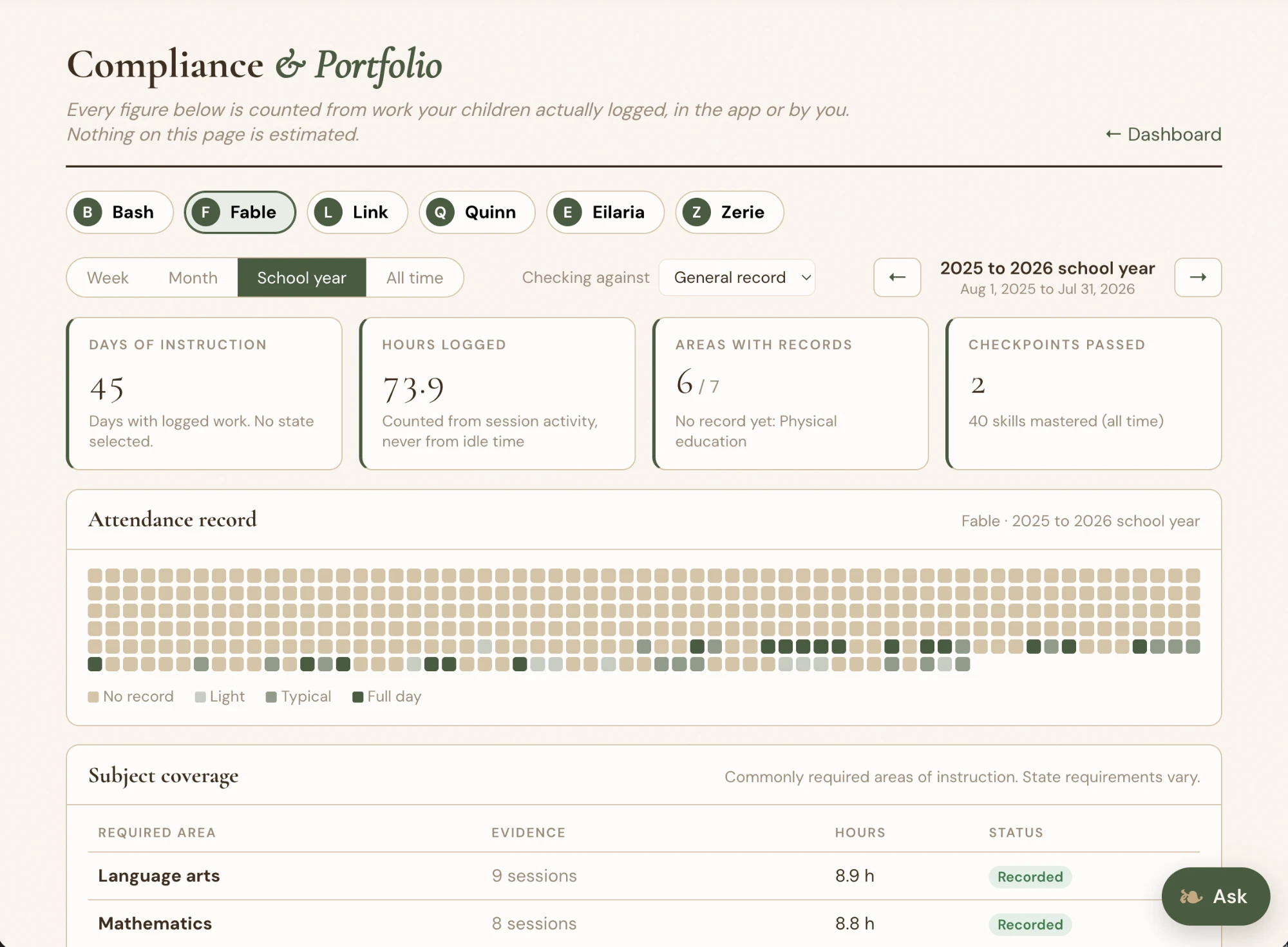
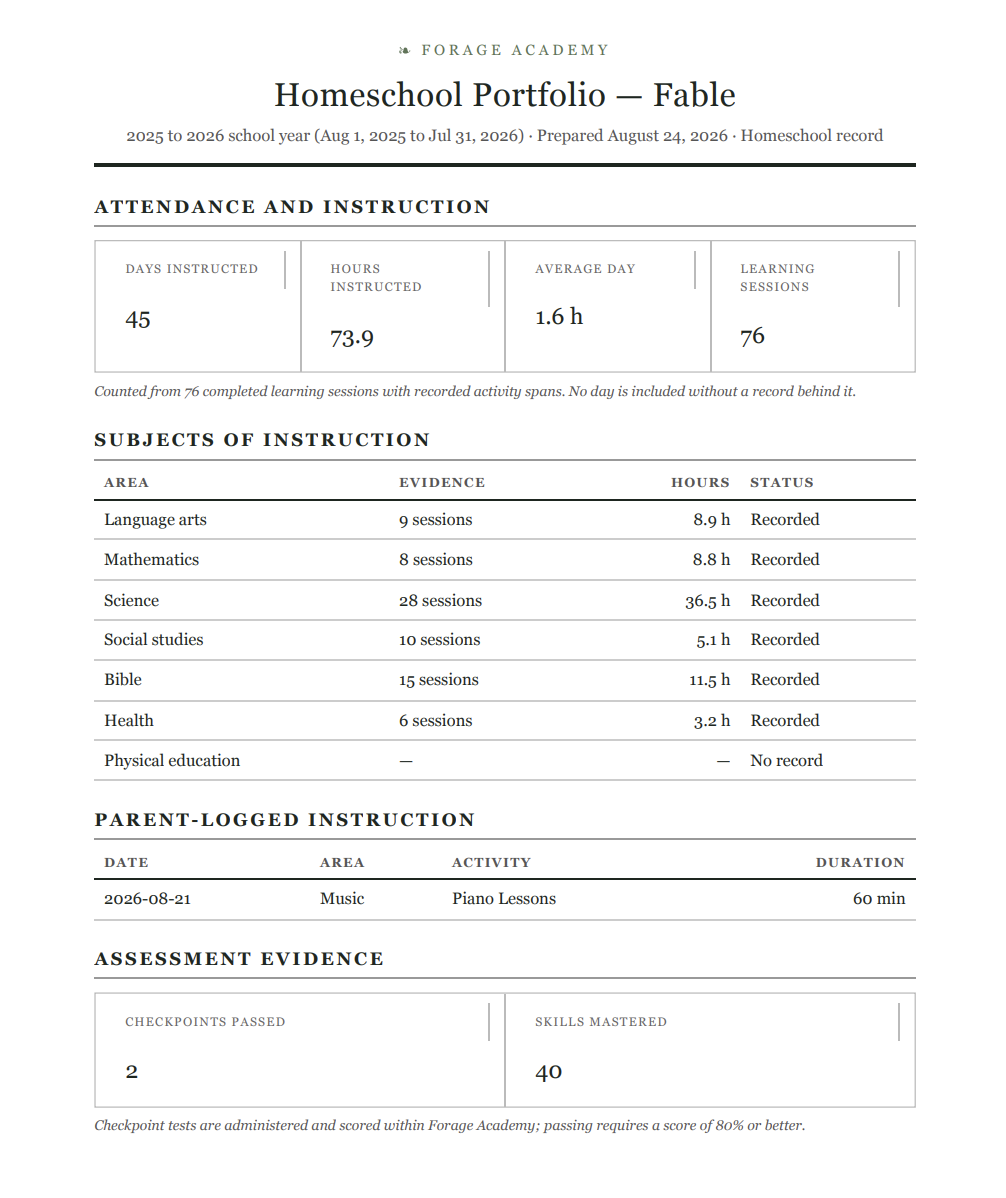
Attendance calendar, subject coverage, assessment evidence
Every source the guide learns from, open to you.
The Academy DB is the whole pantry: every document behind every subject, with its source named. Read it, vote on it, comment on it, and propose the next document or the next subject. Approved material joins the corpus the guides retrieve from and the fine-tuning set. Your child's conversations never do.
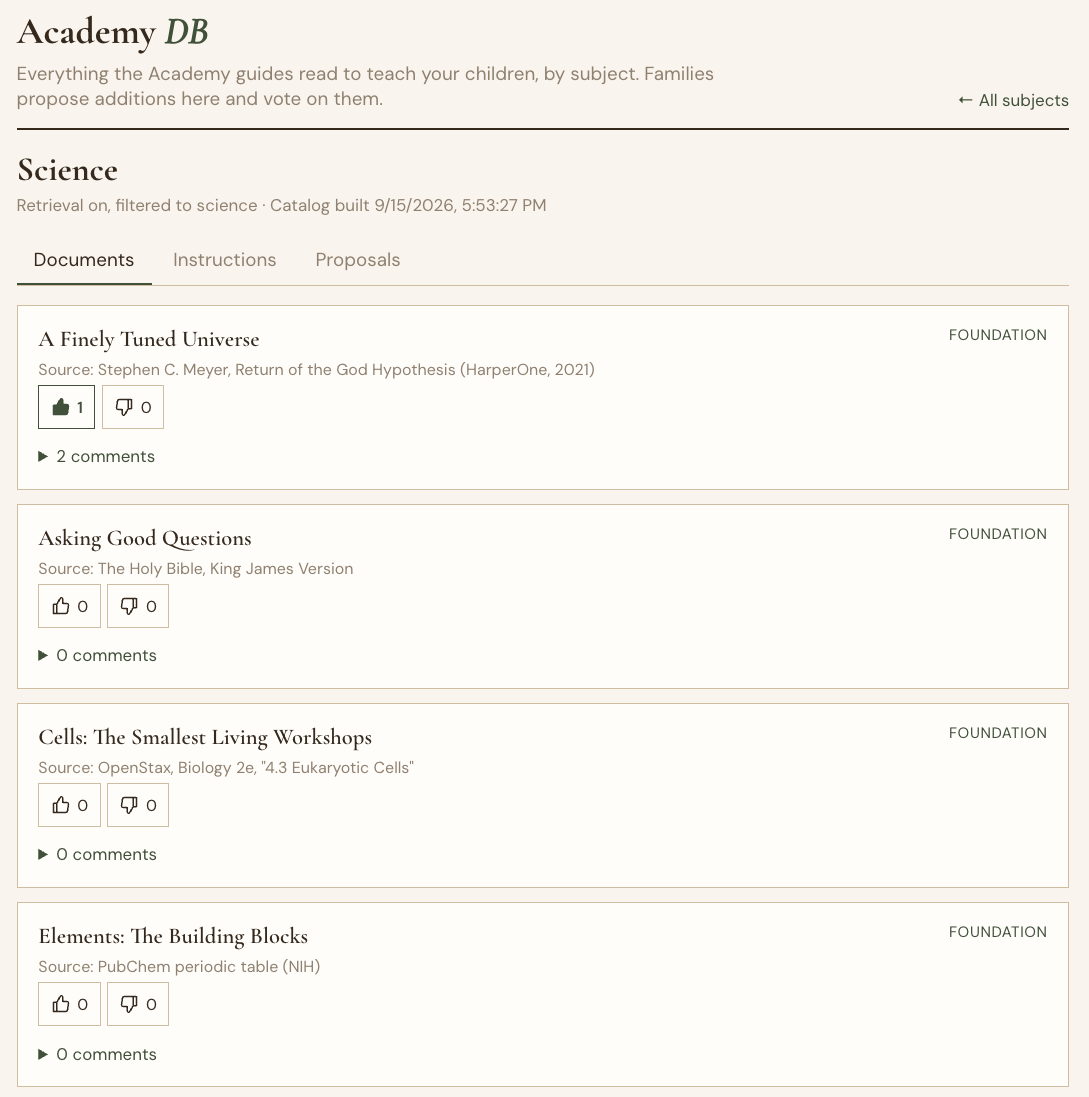
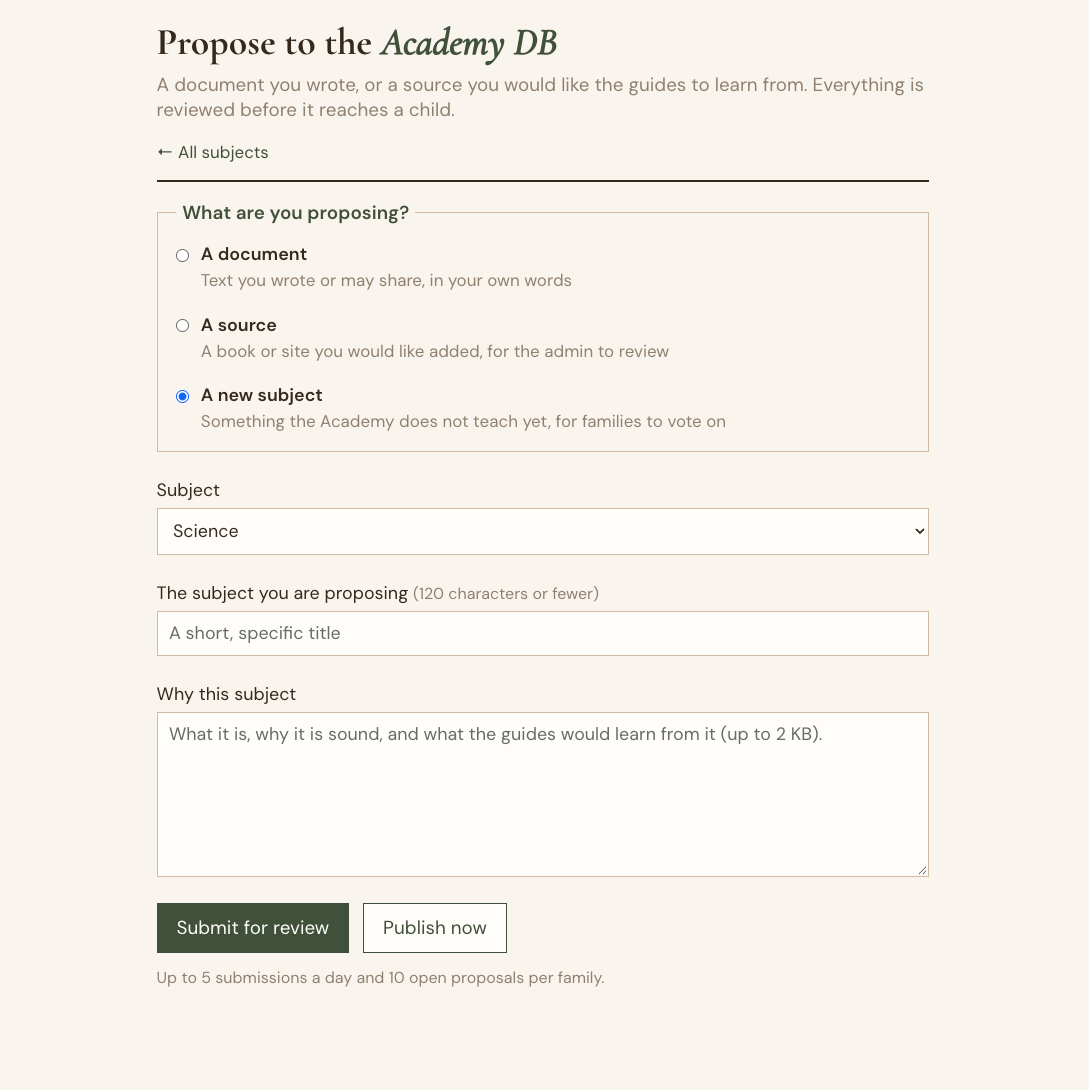
Named sources, family votes and comments, reviewed proposals
Rooted in faith, growing in knowledge
Our four pillarsFaith
A biblical worldview woven through every subject: the foundation, not an add-on.
Discovery
Child-led exploration of creation, with curiosity as the engine.
Education
AI-assisted, student-led learning that honors family first.
Family
Parents in the driver's seat: full visibility, real controls, shared journey, alerting, and compliance reporting.
Real sessions, real kids

The Variable Is the Family
I went looking for evidence that homeschooling works. What the research keeps finding underneath it is the family. It is the variable Scripture named three thousand years before anyone ran a regression.
Read more →
Count the Seconds
A science session about a thunderstorm ended the best way a screen session can end: with my son outside, looking up, measuring the sky with nothing but his own counting.
Read more →
The Day My Daughter Corrected the AI
The guide got a book title wrong. My eleven-year-old caught it and said so. That small moment is one of my favorite things that has ever happened on this platform.
Read more →Join Forage Academy
Download Forage Academy on the iPad, create your family account, and your first session can happen tonight.
Already have an account? Sign in →
Takes about a minute. A passkey, no password.